
Listen to Radio at Work — No Subscription, No Skipping
Work hours can feel long. Study sessions even longer. You don't want the mental overhead of curating playlists or paying for a streaming subscription — you just want something good playing in the background.
That's exactly what radio is for.
What is Mellow Bangla?
Mellow Bangla is a 24/7 internet radio station playing Bengali, Hindi, and English romantic songs — handpicked and arranged so carefully that you'll rarely want to skip. The playlist runs around the clock with no ads, no interruptions, and no cost. Just press play and let it run.
What is Radiola?
Radiola is a free, open-source Mac app that lives quietly in your menu bar. It lets you search, save, and play internet radio stations with a single click — no browser tab needed, no fuss.
Setting Up Mellow Bangla in 5 Minutes
Step 1 — Download and Open Radiola
Install via Homebrew:
brew install --cask radiolaOr download the .dmg directly from the Radiola GitHub releases page.
Once installed, open it from your Applications folder or Launchpad.
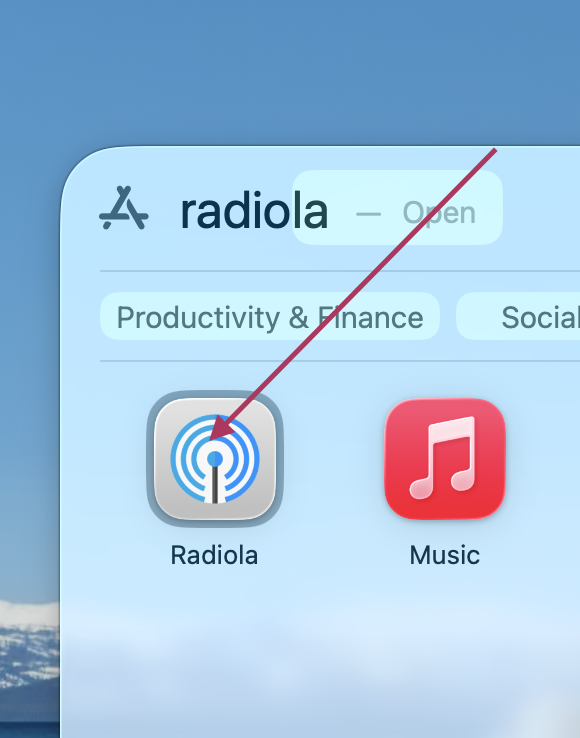
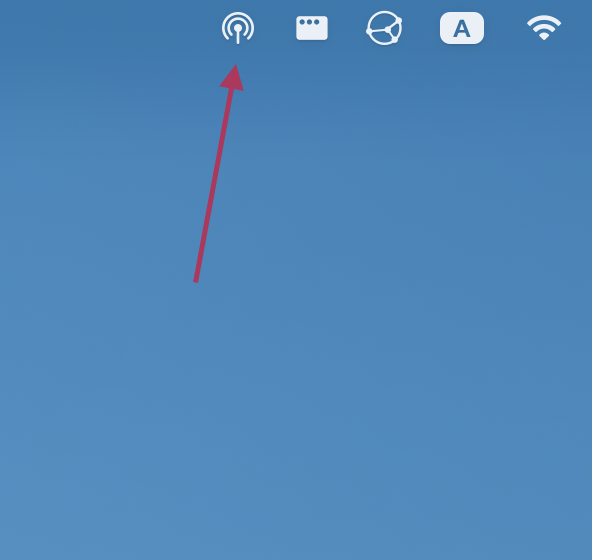
Step 2 — Find Radiola in the Menu Bar
Radiola appears as a small icon in your Mac's menu bar. Click it to open the panel.
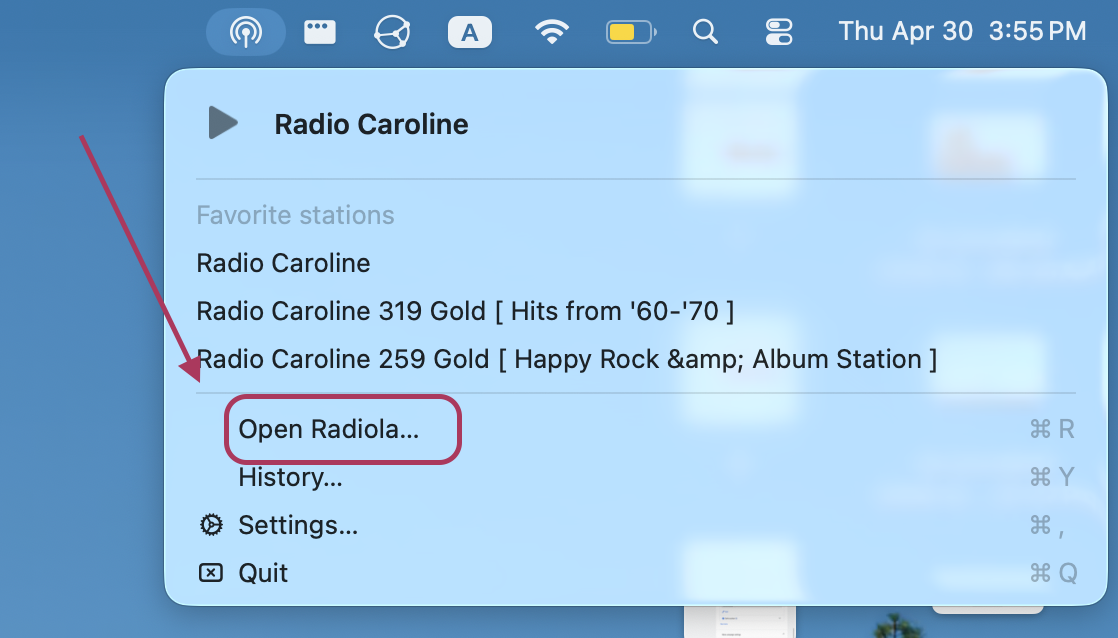
Step 3 — Open the Main Interface
Click the grid/browse icon inside the panel to open the full station browser.
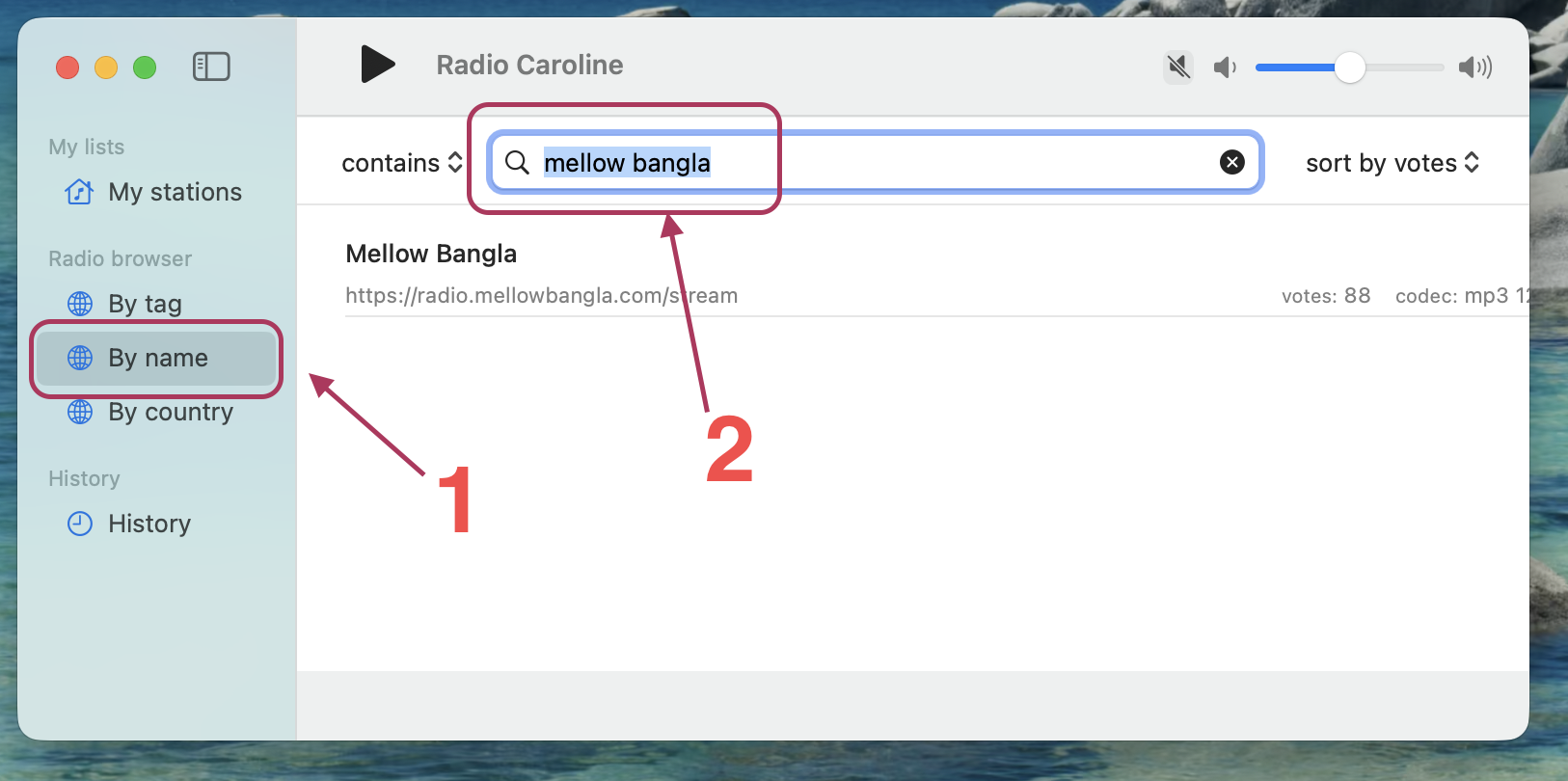
Step 4 — Search for Mellow Bangla
Use the "By Name" search tab and type Mellow Bangla. The station will appear in the results.
Step 5 — Mark It as a Favorite
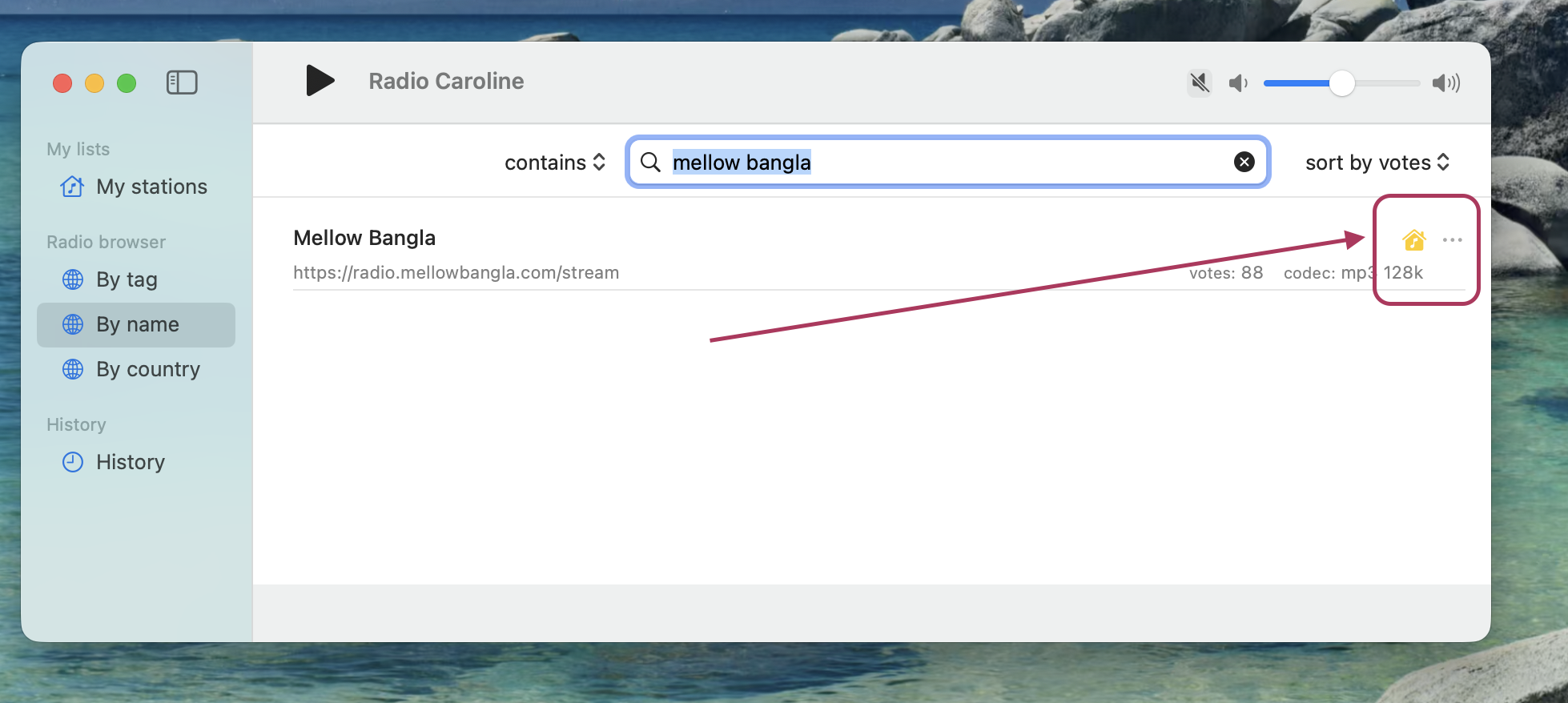
Click the home icon next to Mellow Bangla to add it to your favorites.
Step 6 — Confirm in Your Home List
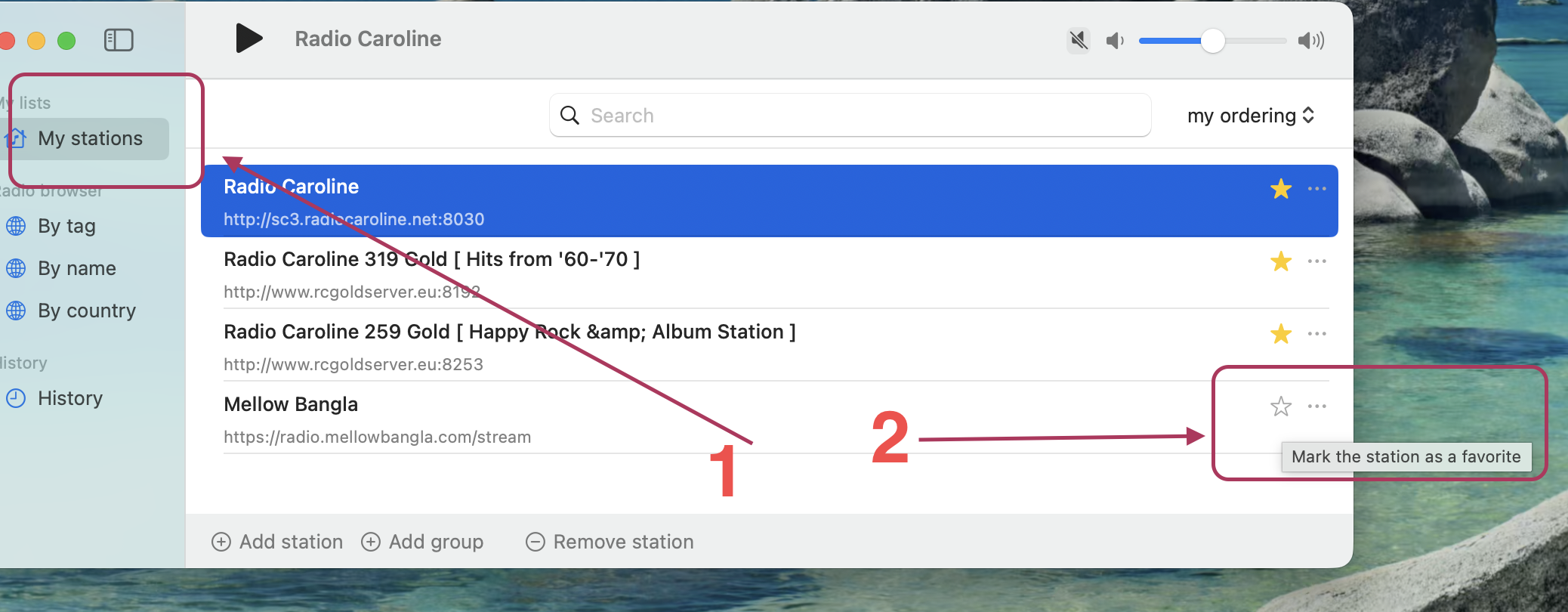
Head to the Home tab to confirm Mellow Bangla is saved there.
Step 7 — Play Directly from the Menu Bar
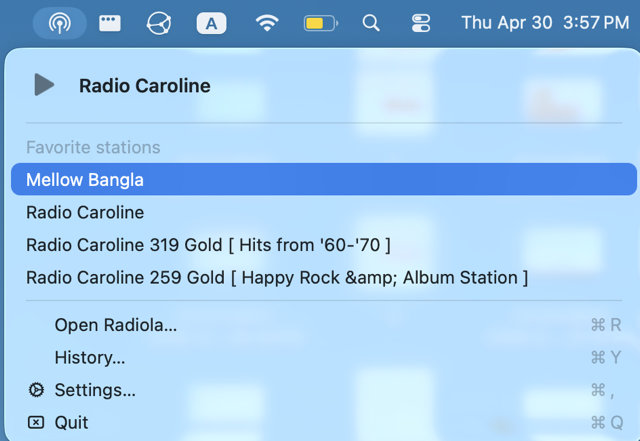
From now on, just click the Radiola icon in your menu bar, select Mellow Bangla, and hit play. That's it.
Why It Works
You don't have to think about it. No queue management, no algorithm, no "what should I play next." The station plays curated romantic music all day — Bengali classics, soft Hindi melodies, and English slow songs — designed to calm your mind and keep you in the zone.
It's the closest thing to a radio station that genuinely cares about what it plays.
Stream URL
Prefer to use your own media player? Add Mellow Bangla manually with this stream URL:
https://radio.mellowbangla.com/stream
Works with VLC, iTunes, Foobar2000, or any player that supports internet radio streams.